我们在做AR(增强现实)的时候,有几种效果需求会遇到.
1:阴影镂空
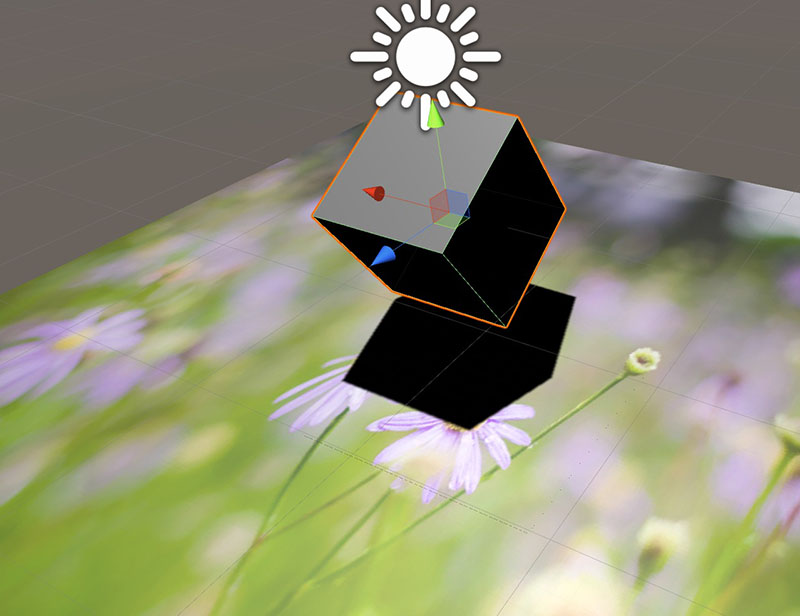
通过成功识别Marker(花朵背景),在Marker位置生成立方体模型,为了效果逼真,我们需要立方体模型产生个阴影投影,默认情况下我们只能用其它模型来接受立方体的阴影投射,Marker模型在Play时是不能用于接受立方体阴影的,我们把接受阴影的Plane模型进行处理,让它仅保留投射的阴影部分,其余部分镂空,这样再与相机画面叠加就会产生一个较逼真的阴影效果了.
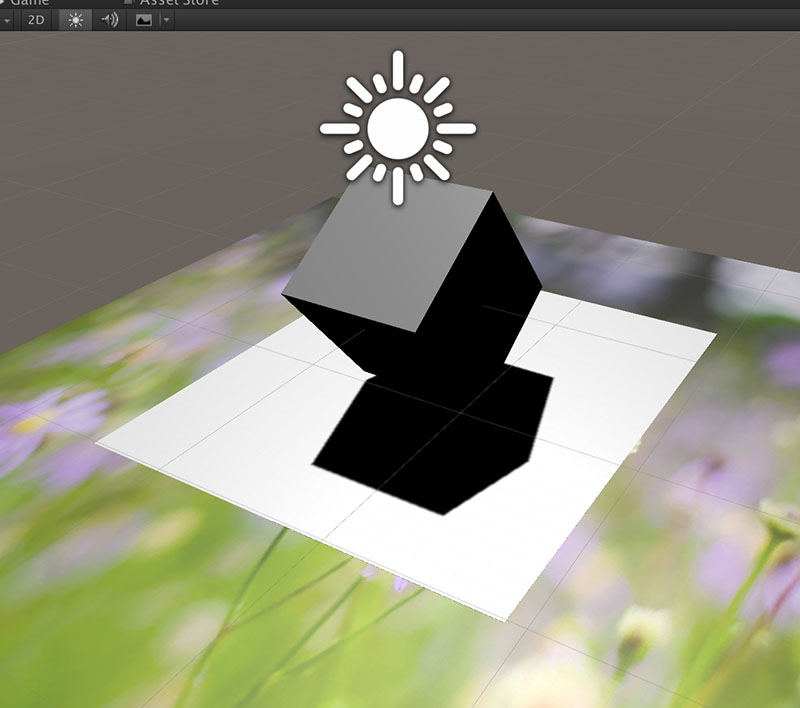
把下面的shader赋予给接受阴影的模型即可完成阴影透明镂空效果,图中黑色阴影其实是原本的Plane,与Maker无关.
Shader "FX/Matte Shadow" {

Properties {
    _Color ("Main Color", Color) = (1,1,1,1)
    _MainTex ("Base (RGB) Trans (A)", 2D) = "white" {}
    _Cutoff ("Alpha cutoff", Range(0,1)) = 0.5
}

SubShader {

    Tags {"Queue"="AlphaTest" "IgnoreProjector"="True" "RenderType"="TransparentCutout"}
    LOD 200
    Blend Zero SrcColor

CGPROGRAM

#pragma surface surf ShadowOnly alphatest:_Cutoff
fixed4 _Color;
struct Input {
    float2 uv_MainTex;
};
inline fixed4 LightingShadowOnly (SurfaceOutput s, fixed3 lightDir, fixed atten)
{
    fixed4 c;
    c.rgb = s.Albedo*atten;
    c.a = s.Alpha;
    return c;
}

void surf (Input IN, inout SurfaceOutput o)
{
    fixed4 c = _Color;
    o.Albedo = c.rgb;
    o.Alpha = 1;
}

ENDCG
}

Fallback "Transparent/Cutout/VertexLit"

}
2:蒙板处物体遮掩
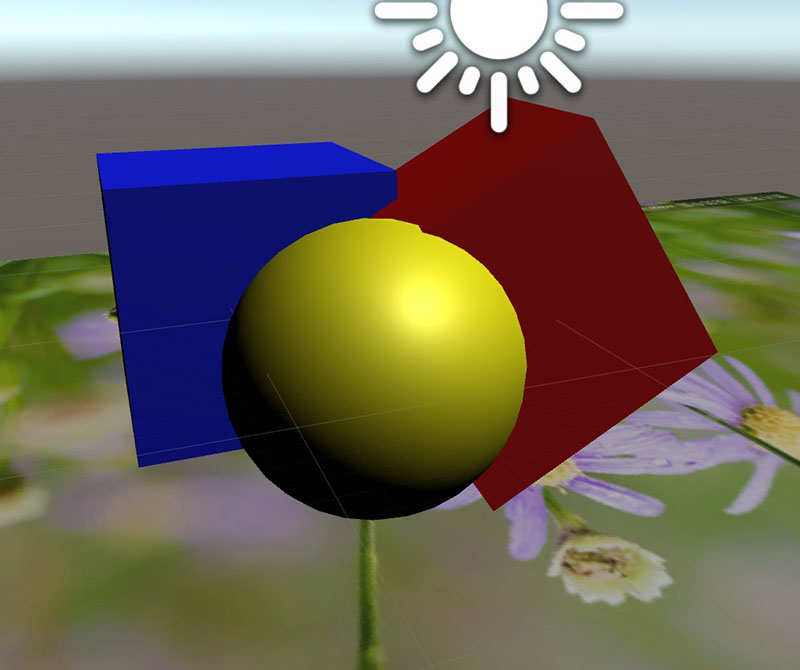
黄色模型为蒙板,其它模型凡是被蒙挡的地方都不渲染,就像布尔减去黄色模型一样,这个效果可以用来做什么呢?比如说做了人脸识别,要给相机图像中的角色戴副眼镜,如果没有用蒙板遮挡,那么无论相机画面里是侧脸还是正脸都将看到完整的眼镜,这与现实不符,现实中侧脸的时候我们只能看到视距较近的眼镜腿,另一侧眼镜腿应该被脸部遮挡,而我们取的相机画面,它是2D平面的图像,不能自动帮我们进行正确的显隐,所以我们要做一个适当的头部模型作为裁切蒙板即替代黄色模型来把不应显示的部分遮掩掉.
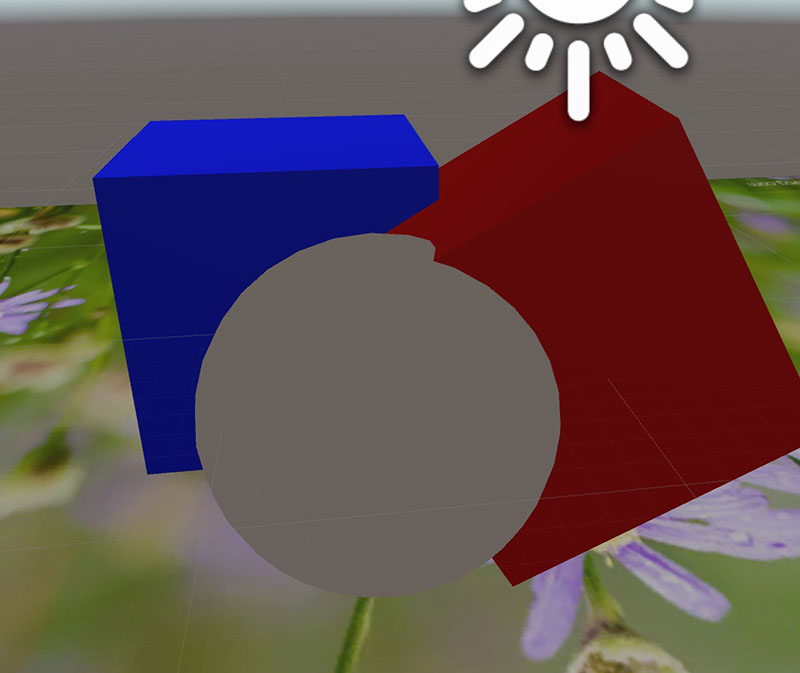
只需将下面的shader作为材质球赋予给希望作为蒙板的模型即可.
Shader "DepthMask" {

    SubShader {
        // Render the mask after regular geometry, but before masked geometry and
        // transparent things.

        Tags {"Queue" = "Geometry-10" }

        // Turn off lighting, because it's expensive and the thing is supposed to be
        // invisible anyway.

        Lighting Off

        // Draw into the depth buffer in the usual way.  This is probably the default,
        // but it doesn't hurt to be explicit.

        ZTest LEqual
        ZWrite On

        // Don't draw anything into the RGBA channels. This is an undocumented
        // argument to ColorMask which lets us avoid writing to anything except
        // the depth buffer.

        ColorMask 0

        // Do nothing specific in the pass:

        Pass {}
    }
}
3:蒙板处物体显示
这个蒙板默认情况下会将它所覆盖的所有对象都裁切掉,可谓杀的毫无痕迹,如果我们用Unity内置的相机纹理贴到模型上作为图像背景的时候,它同样也会被蒙板扼杀掉,而我们不喜欢它被挖空,所以要针对它进行处理,让这部分不受蒙板影响.
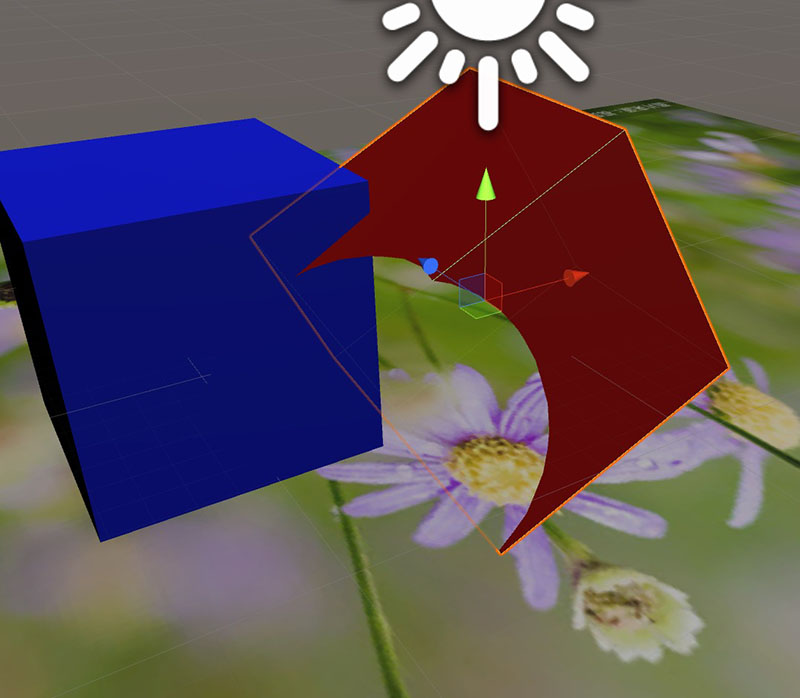
把下面的脚本挂接到任何不想被蒙板影响的对象上,如我们挂到蓝色模型上,脚本有个暴露的变量,我们将RenderQueue设置比蒙板shader的RenderQueue数值小的值,在Play时,蓝色模型就可以无视蒙板.
using UnityEngine;

[AddComponentMenu("Rendering/SetRenderQueue")]

public class SetRenderQueue : MonoBehaviour {

	[SerializeField]
	protected int[] m_queues = new int[]{3000};

	protected void Awake() {
		Material[] materials=this.GetComponent().materials;
		for (int i = 0; i < materials.Length && i < m_queues.Length; ++i) {
			materials[i].renderQueue = m_queues[i];
		}
	}
}
资料参考:
http://mec0825.net/blog/?p=126
http://wiki.unity3d.com/index.php?title=DepthMask